Introduction
In today’s phygital world where online reviews influence real-world customer decisions, Google Reviews have become a cornerstone of business development and business promotion tools. Whether you operate a small local shop or a multi-location business in Australia, customer reviews directly impact your search engine ranking, local search outcomes, and overall online reputation. A strong presence in the Google local pack, backed by consistent business reviews, builds trust, drives customer engagement, and boosts visibility on Google Search, Google Maps, and other Google apps.
Yet, the review process can be challenging. Customers may forget, struggle to find your review page URL, or simply avoid the extra steps involved. That’s where QR Codes revolutionize the review collection process. By using a Google Review QR Code, you can simplify how customers provide customer feedback, creating a seamless, user-friendly experience that leads to more online reviews, stronger social proof, and better local SEO outcomes. This guide explains how to create, customise, and promote a Google Review QR Code so you can increase your review volume and dominate the SERP gods.
What is a Google Review QR Code?
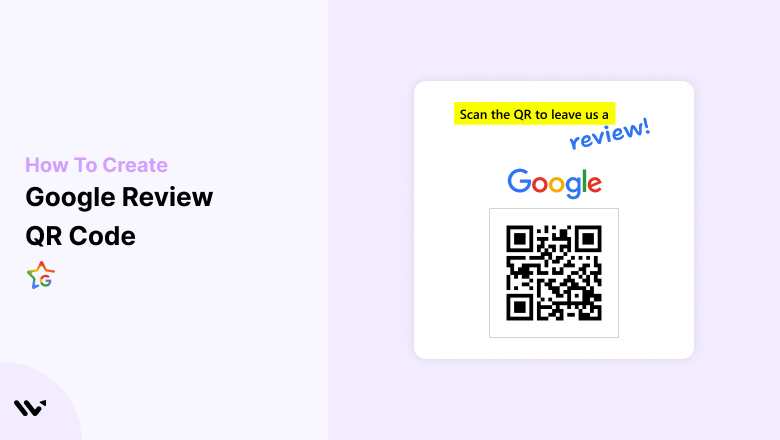
A Google Review QR Code is a scannable QR Code that directs customers straight to your Google Business Profile review page. Instead of searching for your business manually or navigating multiple links, customers simply scan the code using their smart devices or smartphone app stores, instantly landing on your review form link where they can submit feedback.
Comparison Table: Traditional vs. QR Code-Based Review Collection
| Aspect | Traditional Review Process | QR Code-Based Review Process |
|---|---|---|
| Customer Effort | High (search for business, navigate to the review page) | Low (scan the Google-generated QR code, open the review page) |
| Review Volume | Moderate | Higher due to easy access |
| Accessibility | Limited to tech-savvy customers | Broadly accessible across all smart devices |
| Conversion Rate | Lower | Higher thanks to seamless review timing |
| Social Proof | Slower growth of business reviews | Rapid accumulation of customer reviews |
Why Use a QR Code for Google Reviews?
Leveraging Google review QR codes delivers powerful benefits for Australian business owners:
- Ease of Access: Customers skip the tedious steps of searching your business profile and directly reach the Google review link.
- Increased Review Volume: Higher engagement leads to more business reviews, enhancing digital word-of-mouth.
- Enhanced Local SEO: Frequent reviews boost local search rankings, improving visibility on Search engine results pages (SERPs).
- Customer Engagement: Encourages faster customer conversations and actionable customer feedback.
- Marketing Strategies: QR codes act as multi-channel business promotion tools, integrating with marketing campaigns, loyalty programs, and even NFC technology for tap-and-scan ease.
Step-by-Step Guide: Creating a Google Review QR Code
4.1 Access Your Google Business Profile
- Visit business.google.com and sign in using your Google My Business account credentials.
- If you haven’t claimed your listing, follow the Google Business Profile guidelines on the Google Business dashboard to verify ownership and enhance your Business website.
4.2 Get Your Google Review Link
- In your Google Business dashboard, navigate to the Main menu and select the option to Close search or access the review form link under “Get more reviews”.
- Copy the short URL or Google review share link provided by Google.
4.3 Choose a QR Code Generator
Use a reliable QR code generator or Google Review QR Code Generator such as:
- QR TIGER: Excellent for Dynamic URL QR Code creation with QR code tracking features.
- Scanova: Offers deep analytics and QR code tracking.
- qr-code-generator.com: A simple QR code generator tool for quick static codes.
Each of these QR code generator tools provides options for creating static or dynamic QR Codes. Dynamic codes allow updates to the review page URL, advanced analytics like Google Analytics integration, and UTM tracking for marketing campaigns.
4.4 Generate Your Google Review QR Code
- Paste the Google review link into your chosen QR code generator.
- Customise the code by adding branding elements such as your brand colors, logo, and even advertising messages to align with your marketing strategies.
- Select between static and dynamic QR Codes. Dynamic codes support QR Code tracking, test scans, and URL changes.
4.5 Test Your QR Code
- Perform multiple test scans on different devices to ensure it functions correctly in secure areas.
- Check for compatibility with Google apps and smart devices.
4.6 Download and Print Your QR Code
- Download the code in high-resolution formats (PNG, JPEG, SVG, EPS) for flexible use on business cards, flyers, signage, and physical templates.
- Ensure your printed code aligns with your call-to-action message and feedback prompts for maximum customer engagement.
4.7 Display the QR Code
- Place the code strategically across business profiles, checkout counters, menus, posters, Google Review cards, and packaging.
- Include a clear call to action such as “Scan to Leave a Google Review” or use Review writing examples to guide customers.
Best Practices for Maximising Reviews
- High-Quality Printing: Ensure sharp resolution for quick scanning.
- Strategic Placement: Feature QR codes in high-traffic zones and link them across social media buttons, email signatures, and Product tags.
- Brand Consistency: Use brand colors and logos to strengthen recognition.
- Effective CTAs: Include compelling call-to-action messages to drive customer engagement.
Advanced Tips and Marketing Strategies
- Dynamic QR Codes: Gain access to QR code tracking features, scan statistics, and editable URLs.
- Google Analytics: Monitor scan data, review submissions, and user activity for improved marketing campaigns.
- Multiple Locations: Create unique QR codes per branch for targeted feedback scenarios and aggregated information.
- UTM Parameters: Add UTM tags to your Google review link for tracking in Google Analytics.
- Email Support: Include QR codes in follow-up emails to increase review timing and collection rates.
Boosting Scan and Review Rates
- Incentivise Feedback: Provide perks (within Google Business Profile guidelines) to encourage participation while maintaining compliance.
- Staff Training: Equip staff to highlight QR codes during customer conversations and checkout.
- Community Engagement: Promote QR codes at local events to drive community content and reviews.
- Integration: Add QR codes to loyalty apps, POS systems, or Google apps for better user engagement.
Frequently Asked Questions (FAQ)
- Can I update my QR code after printing?
Yes, if you used a Dynamic URL QR Code. - What if my business details change?
Update your Google Business Profile and regenerate the code if using a static QR code. - Are free QR code generators safe?
Many free QR code generator tools like qr-code-generator.com are secure for basic needs. - How can I track performance?
Use QR Code tracking and Google Analytics to measure scans, clicks, and completed reviews. - How many reviews should I aim for?
Focus on steady growth. Frequent online reviews help improve search engine optimization and local search rankings.
Troubleshooting Common Issues
| Issue | Solution |
|---|---|
| QR code not scanning | Reprint using a higher-resolution file (SVG/EPS) |
| Link not directing to review page | Double-check the review page URL or regenerate the QR code |
| Blurry or distorted codes | Use vector formats and ensure sharp printing |
| Low scan rates | Enhance call to action, add feedback prompts, or reposition |
Conclusion
Google Review QR codes are more than a convenience—they are essential business promotion tools in today’s digital word-of-mouth economy. By integrating a well-designed Google Review QR Code into your marketing campaigns, you can drive more customer reviews, improve local visibility, and secure top spots in search engine results pages.
If you need expert assistance with Google Review QR Code Generator setup, marketing company strategies, or scaling your Australian business through advanced marketing campaigns, contact us today. We specialise in creating actionable advertising messages, improving customer experience, and helping businesses grow in this ever-connected world.