Introduction
Overview of SEO Audits
In today’s fast-paced digital marketplace, your website’s visibility in search engines like Google Search determines how easily customers can find you. An SEO audit is a comprehensive website audit that identifies weaknesses and opportunities to improve your site’s SEO performance, search engine rankings, and overall website performance. From analysing technical SEO elements to reviewing content quality and link building opportunities, an SEO audit is crucial for driving organic traffic, increasing conversions, and maintaining your competitive edge.
An effective SEO audit covers everything from PageSpeed Insights and Screaming Frog crawl reports to Google Analytics behavioural data. By examining site speed, internal links, and meta tags, you can enhance your search engine optimization and boost user engagement. Whether your business operates in eCommerce or services, understanding and optimising your website structure will ensure better index coverage, improved Page Experience, and higher search engine rankings.
Purpose of This Guide
As a marketing and automation consultant, my goal is to help Australian business owners perform an in-depth SEO audit that aligns with modern search trends and Google SERP expectations. This guide walks you through each step — from crawl budget analysis to structured data and schema markup implementation — to ensure your website audit improves both Page authority and conversion rates. Whether you’re optimising a local business website or conducting an eCommerce SEO audit, this resource provides actionable steps to elevate your digital growth.
Preparation and Tools
Introduction to SEO Audit Tools
A successful SEO audit starts with equipping yourself with the right tools. Each tool provides a unique layer of insight into your website structure, SEO performance, and link profile:
- Google Search Console – Monitors your site’s indexability distribution, index coverage, and key search queries.
- Google Analytics 4 (GA4) – Tracks behavioral analytics, user journeys, and conversion rates to measure SEO performance.
- Screaming Frog SEO Spider – Crawls your website to find 404 errors, redirect loops, meta description issues, and other technical SEO concerns.
- Moz Pro / SEMRush / Ahrefs – Provides Backlink Profile data, referring domains, and anchor text analysis.
- Pingdom Website Speed Test – Evaluates Page Load Times, site speed, and overall website performance.
- Wix Analytics (for Wix users) – Assesses user engagement, social signals, and social shares from integrated social media widgets.
Setting Up Your Audit Environment
Step-by-Step Setup:
- Google Search Console
- Add your property and verify ownership.
- Submit an XML sitemap for faster indexing.
- Review crawl budget and index coverage for critical pages.
- Google Analytics 4
- Set up tracking for all pages and measure conversion rates.
- Use behavioral analytics to monitor bounce rates and engagement.
- Screaming Frog
- Crawl your website to identify 404 pages, redirect loops, and broken internal links.
- Export reports for meta title, meta description, and Headings & Content Structure.
- Moz Pro / Ahrefs / SEMRush
- Review your Backlink Profile, referring domains, and overall Page authority.
- Conduct internal link analysis and identify content gaps.
- Pingdom Website Speed Test
- Measure Page Load Times and Site speed.
- Benchmark your results against competitors.
- Mobile Support Test & Responsive Design
- Verify that your website passes mobile-first indexing requirements.
- Test responsive design for accessibility and Page Experience.
Technical SEO Audit
Overview of Technical SEO
Technical SEO ensures your site is optimised for crawling and indexing. It affects how search engines like Google Search and Bing interpret your website structure and site architecture. A robust technical foundation boosts SEO performance, improves indexability, and helps your content appear higher in Google SERP results.
Key Steps in a Technical SEO Audit
- Page Speed & Mobile Optimisation
- Use PageSpeed Insights, Pingdom Website Speed Test, and Screaming Frog to analyse Page Load Times.
- Compress images, minify scripts, and enable caching for optimal site speed.
- Ensure your website passes the Mobile Support Test and supports mobile-first indexing.
- XML Sitemap & Robots.txt
- Ensure your XML sitemap includes only indexable pages.
- Verify your robots.txt doesn’t block important content from crawl staging.
- HTTPS Security & Certificates
- Use Let’s Encrypt or another CA for your HTTPS certificate.
- Implement an HTTP to HTTPS redirect.
- Check configurations using an SSL Labs test.
- Redirects & URL Structure
- Fix 301 redirects, remove redirect loops, and test using a URL Redirect Checker.
- Maintain logical, keyword-rich URLs for better search engine optimization.
- Crawl Depth & Indexation
- Review index coverage in Search Console.
- Check for crawl waste using crawl budget insights.
Pro Tip: A technically sound website is the backbone of all successful SEO strategies. Review 404 errors, 301 redirects, and site structure regularly to maintain top search engine rankings.
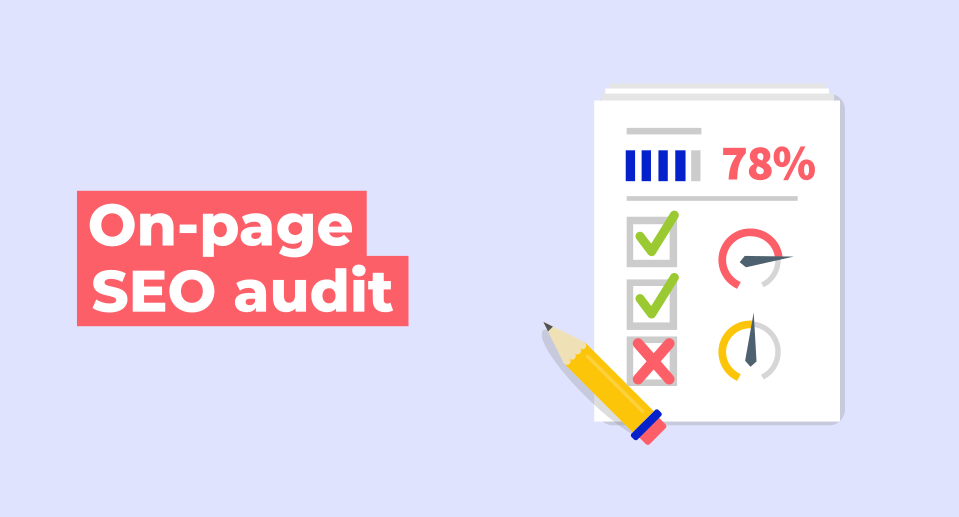
On-Page SEO Audit
Introduction to On-Page SEO
On-page SEO focuses on optimising elements within your website — from meta tags to Headings & Content Structure — to improve relevance and visibility. Proper SEO copywriting ensures that your content quality resonates with both users and search engines.
Key Steps in On-Page SEO Audit
- Keyword & Search Intent Alignment
- Identify high search volume terms related to your business.
- Optimise Meta title, Meta description, and headings with target keywords.
- Analyse search trends to align your content strategy.
- Content Quality & Structure
- Review content gaps and ensure all pages are comprehensive.
- Use schema markup and structured data to enhance Google SERP visibility.
- Maintain clarity in Headings & Content Structure.
- Internal Link Analysis
- Use Screaming Frog or Moz Pro to evaluate internal links and improve link equity.
- Optimise anchor text for contextual relevance.
- Image & Media Optimisation
- Include alt tags, descriptive filenames, and compressed media.
- Integrate social media widgets for better engagement and social shares.
On-Page SEO Checklist:
| Element | Checklist Item |
|---|---|
| Meta Title | Target keywords, under 60 characters |
| Meta Description | Unique and compelling, under 160 characters |
| Headers | Proper H1-H3 structure for clarity |
| Schema Markup | Add structured data for reviews, FAQs, and products |
| Internal Links | Logical and keyword-relevant anchor text |
Off-Page SEO Audit
Introduction to Off-Page SEO
Off-page SEO strengthens your website’s credibility and authority through link building, brand mentions, and social media engagement. It helps enhance your Backlink Profile and link profile, increasing your Page authority and visibility in Google Search.
Key Steps in Off-Page SEO Audit
- Backlink Profile Review
- Use Ahrefs, Moz Pro, or SEMRush to analyse referring domains.
- Disavow toxic links and focus on quality link building.
- Monitor your anchor text diversity and avoid over-optimisation.
- Social Media Presence
- Ensure your branding is consistent across all social media platforms.
- Leverage social signals and social shares to boost authority.
- Local SEO Optimisation
- Optimise your Google Business Profile with accurate details.
- Collect local reviews and maintain consistent NAP (Name, Address, Phone) data.
Pro Tip: Strong off-page SEO is built on trust. Focus on long-term link building relationships and consistent social media engagement.
Content Strategy Audit
Introduction to Content Audits
A content audit ensures that your website content aligns with your audience’s needs and drives conversions. It identifies content gaps, improves content quality, and enhances SEO copywriting for greater organic traffic.
Key Steps in Content Audit
- Identify Thin or Duplicate Content
- Use Screaming Frog or SEMRush to locate thin pages or duplicates.
- Merge or expand content to improve authority and engagement.
- Update Outdated Content
- Refresh statistics, improve meta tags, and adjust schema markup.
- Re-optimise internal links for better navigation.
- Evaluate Content Performance
- Use Google Analytics and Wix Analytics to analyse user engagement.
- Review bounce rates, dwell time, and conversion rates.
FAQs:
- How often should I audit my site?
Conduct a full SEO audit every 3-6 months to stay ahead of algorithm updates. - What should I do with outdated blogs?
Update or consolidate them to preserve search engine value. - How do I improve content engagement?
Enhance readability, visuals, and ensure mobile accessibility for Page Experience.
Conclusion
Performing an SEO audit is one of the most impactful actions you can take to improve your website performance, boost organic traffic, and strengthen your search engine optimization strategy. By combining insights from Google Search Console, Google Analytics, and tools like Screaming Frog and Moz Pro, you can build a site that not only ranks higher but also converts more visitors.
Call to Action:
If you’re ready to accelerate growth, partner with an experienced Australian digital marketing consultant who specialises in SEO audits, link building, and automation strategies to help your business dominate the Google SERP.